Local Configuration Interface
The Local configuration interface allows you to manage and configure your sensor directly from a web browser. This guide will walk you through the steps to access and use it.
Features
- Login Page: Authenticate to access the secure interface.
- Home Page: Overview of your device’s status, including serial number, software version, and network info.
- LTE/4G Setup: Check the status of your SIM card and configure your 4G connection.
- Ethernet Setup: Switch from 4G to Ethernet and configure connectivity.
- Battery Setup: Manage the battery pairing through bluetooth.
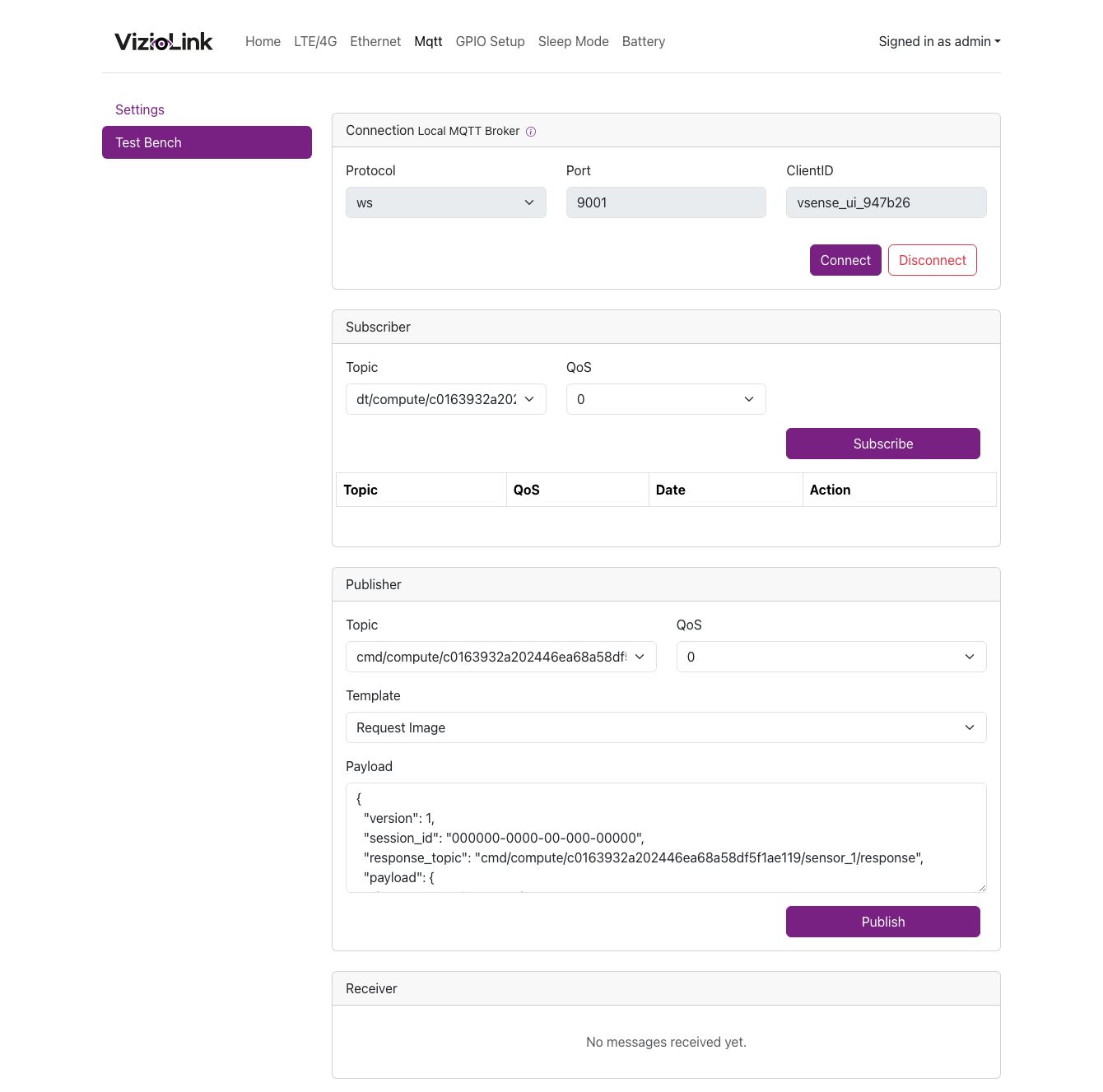
- MQTT Integration: Set up MQTT for real-time data transmission.
- GPIO Setup: Manage the GPIO pins for custom device behavior.
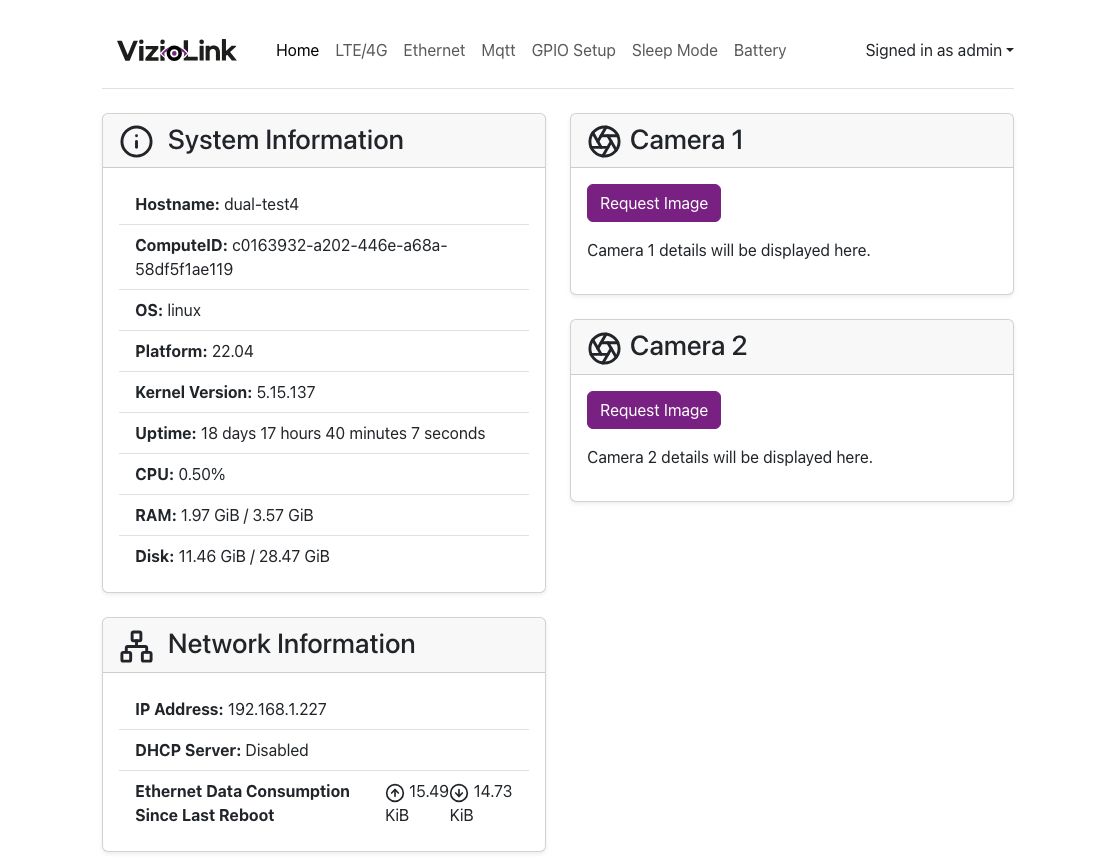
Access the camera interface
Instruction on how to access your camera's interface (through ethernet/wifi) when the kit is powered on:
- Unscrew the nut cover from the female RJ45 port by turning it counterclockwise.
- Connect your computer via an Ethernet cable.
- Open a browser and enter the device URL
device_ipaddress:8080(i.ehttp://192.168.12.1:8080when connected directly from an ethernet cable) to access the configuration interface.
Local Broker Testing
The Local configuration interface also allows you to test the connection to the internal MQTT broker. This is useful for verifying that your sensor is correctly configured.
Support
For additional assistance or support, please reach out to our support team at support@viziosense.com.