API Integration
This page outlines the requirements for a successful integration with the platform and its various applications. It is intended to provide an overview for our integrator partners.
Platform information can be accessed through webhooks and/or API interactions:
- Webhooks are designed to receive live data from your devices. See our guide on webhook configuration for more information.
- API calls can be used to automate configurations, onboard new devices, or configure webhooks.
Generate Your API Token
All requests to the API must be authenticated with a token. To obtain a token, you need to generate it from the integrator platform. Access the Developers View:
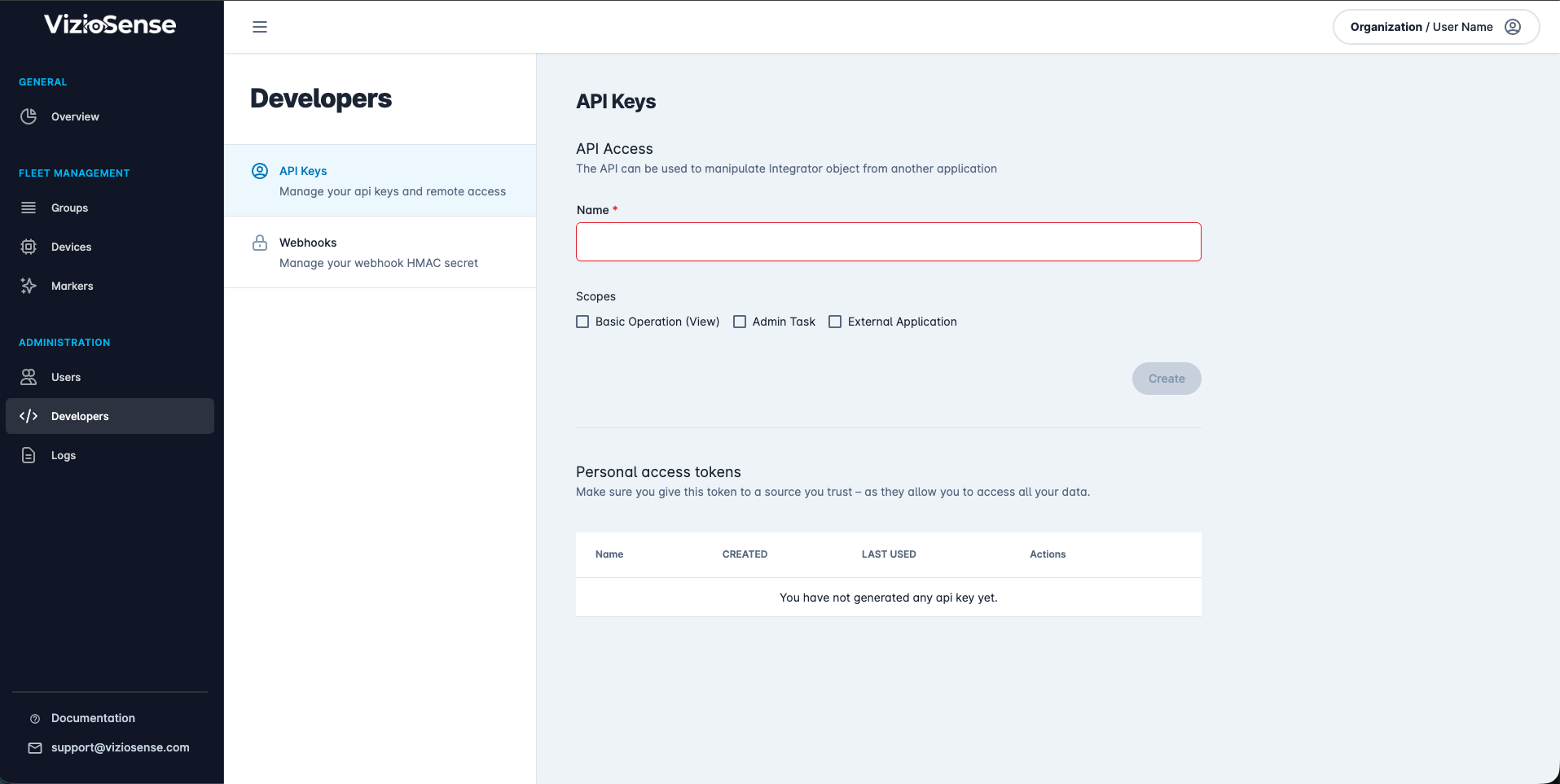
On the API Keys tab, you can create a new token. Provide a name for your token, define its scope, and click on the Create button:
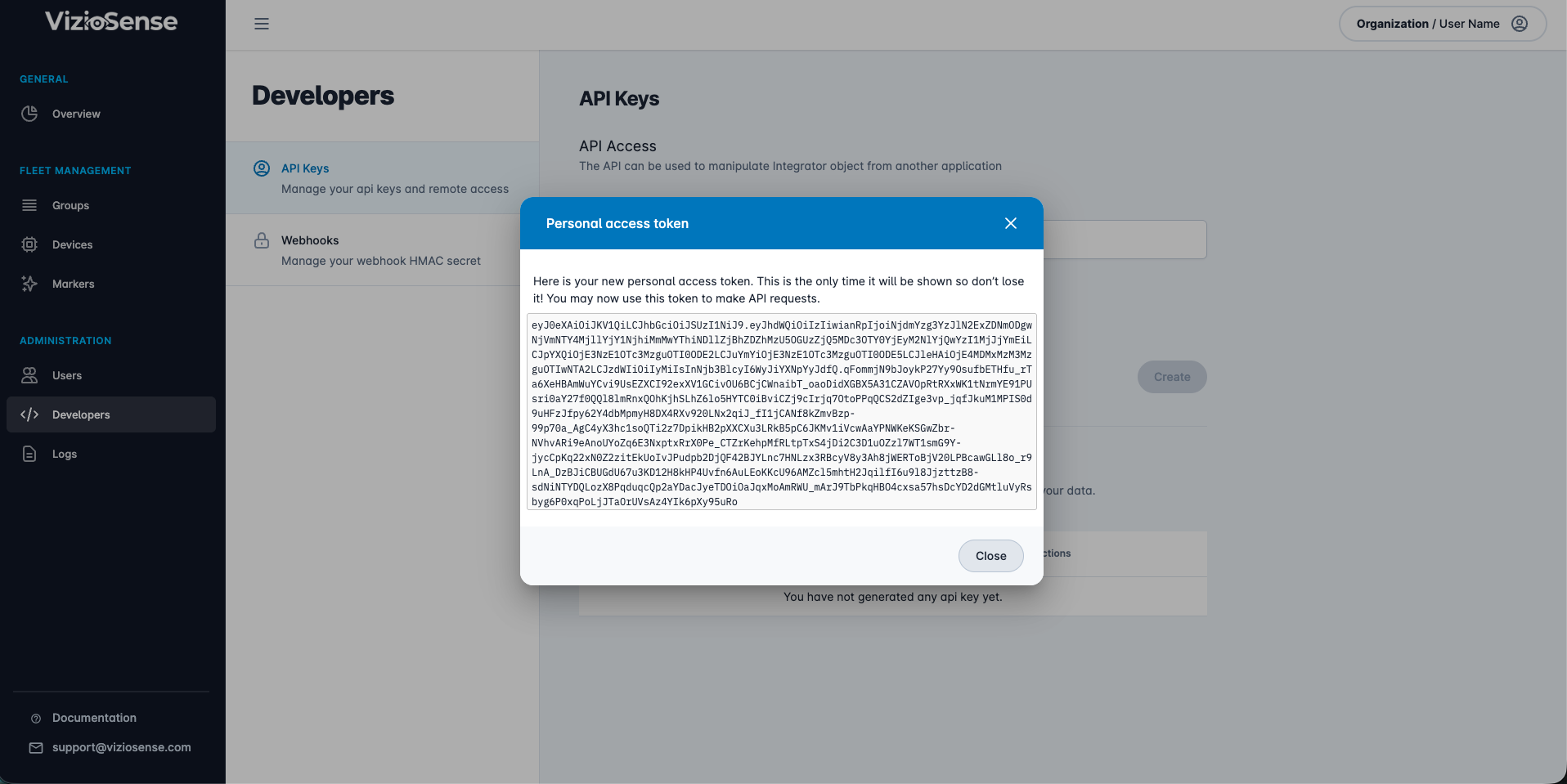
Copy and store the generated token in a safe place. You can now use it to authenticate your requests.
Authenticate Your Requests
To authenticate a request, add the following HTTP header to your requests:
Authorization: Bearer <YOUR_TOKEN>
Environments
The platform’s API is available for the following environments:
| Environment | Base URL |
|---|---|
| Test | https://api.staging.viziosense.ai |
| Production | https://api.viziosense.com |
Format Specifications
- All endpoints available in the API are prefixed with
/api/v1. - All endpoints accept and respond with JSON.
- Depending on the method, headers are expected.
Exception Handling
Exceptions triggered will be returned in the body of the HTTP response:
| Parameter | Type | Description |
|---|---|---|
| httpError | Integer | HTTP error code |
| message | String | User-friendly message |
Exception Structure
Here is a list of errors that may be encountered:
| HttpError | Application Error | Error Message |
|---|---|---|
| 400 | 4000 | Access token error |
| 403 | 4003 | Unauthorized access |
| 405 | 4005 | Unsupported method |
| 500 | 5000 | Server error |