Webhook Configuration
Webhooks allow you to receive real-time data updates from our platform by sending HTTP requests to your specified endpoints. This guide will help you set up and configure webhooks for your devices.
Configuration Page
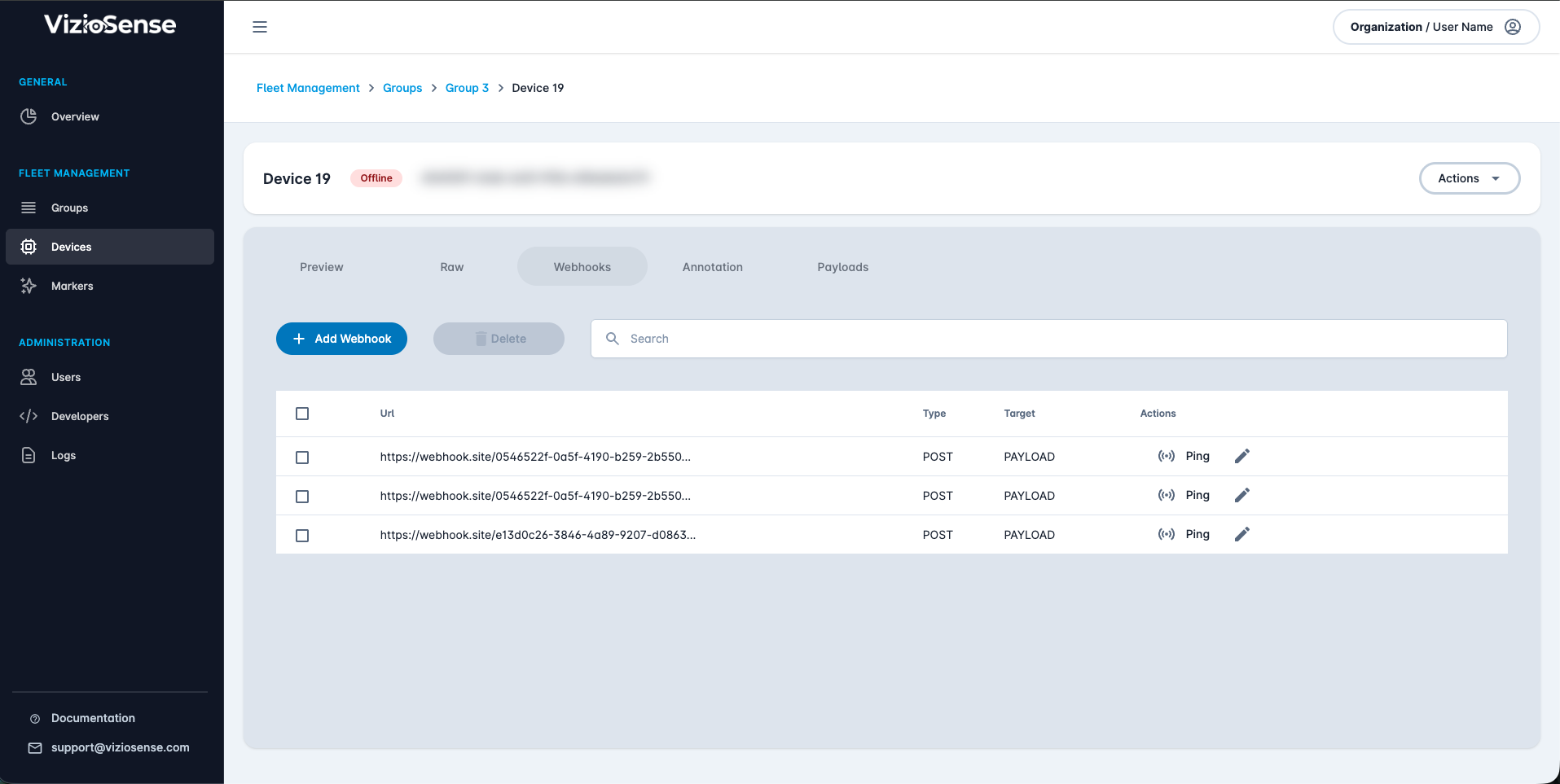
The webhook configuration page is accessible through a tab on your device view:
Add a Webhook
Click on the + Add Webhook button to add a new webhook to your device:
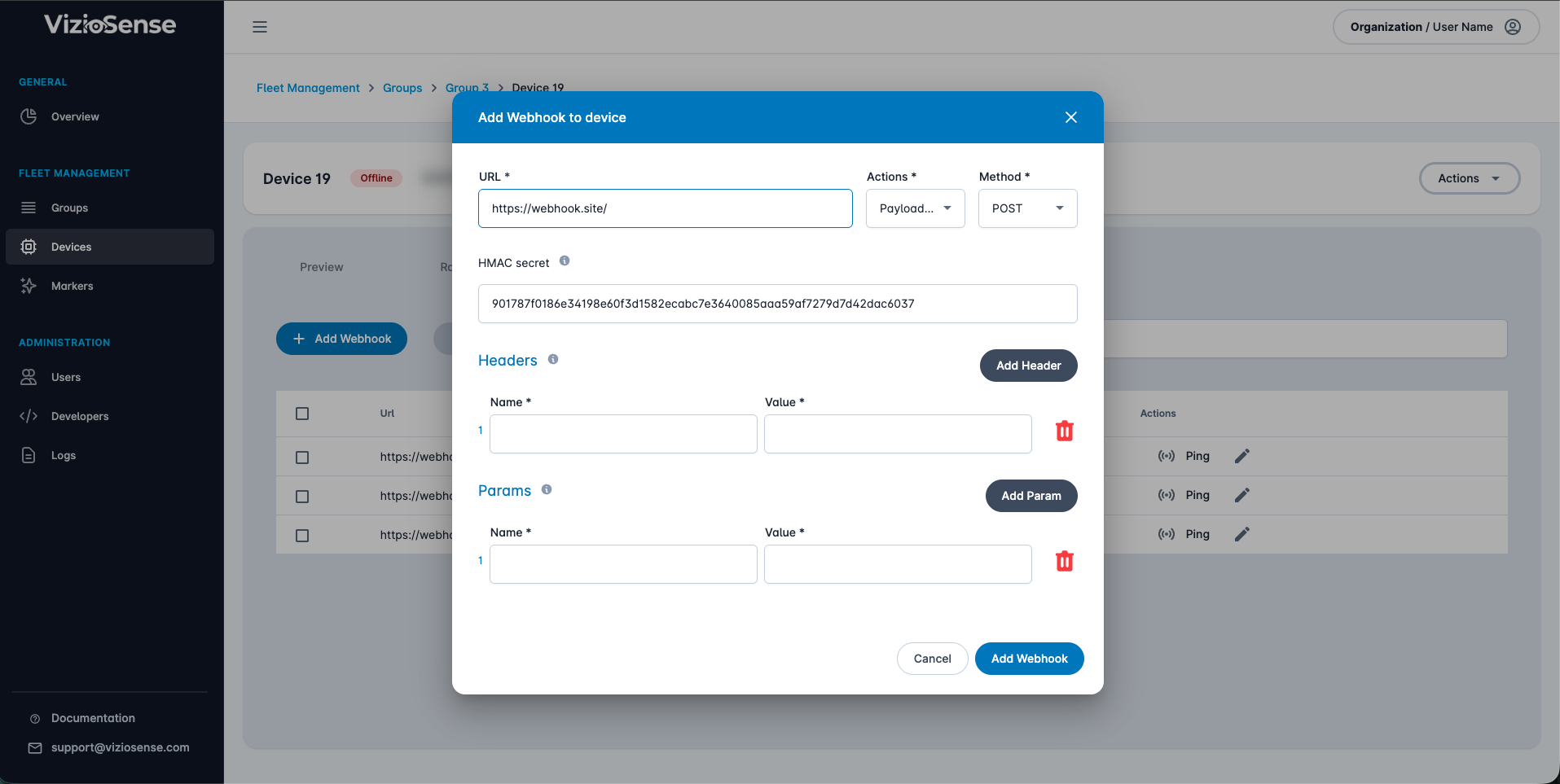
Here is the list of settings you can configure on your webhook:
-
URL: The HTTP(s) endpoint where we should send the data.
-
Actions: The trigger event we use to send the message to your webhook (either
Keep aliveorPayload transfer):Keep alive: A webhook is triggered every 10 minutes with the health status of the device. You can check the Keep Alive payload format here.Payload transfer: A webhook is triggered every time your application state has relevant changes. You can check the applications specific payloads format here and the specific triggering intervals depending on your application type.Alert: A webhook is triggered every time your application detect an alert condition. See the Alert Format page for more details. Alert messages use the same top-level fields and include thealertarray described there.
-
Method: The HTTP verb used to send the data (usually
POST, could also useGETfor Keep Alive payloads). -
Headers: A list of headers to add to the request. This is useful to secure the communication (use of a token header).
-
Params: A list of query string parameters to add to the request.
Security Best Practices
- Always use HTTPS to ensure data is transmitted securely.
- Validate the payload signature to verify the authenticity of the request.
- Limit the IP addresses that can send requests to your endpoint.