Webhook Signature
HMAC Secret
How HMAC Works
HMAC involves using a cryptographic hash function (in this case, SHA-256) and a secret key to produce a unique signature for the payload. This signature is then sent along with the request. The receiver can use the same secret key to generate a signature for the received payload and compare it with the signature provided. If both signatures match, the payload is considered authentic.
Where you can find the secret
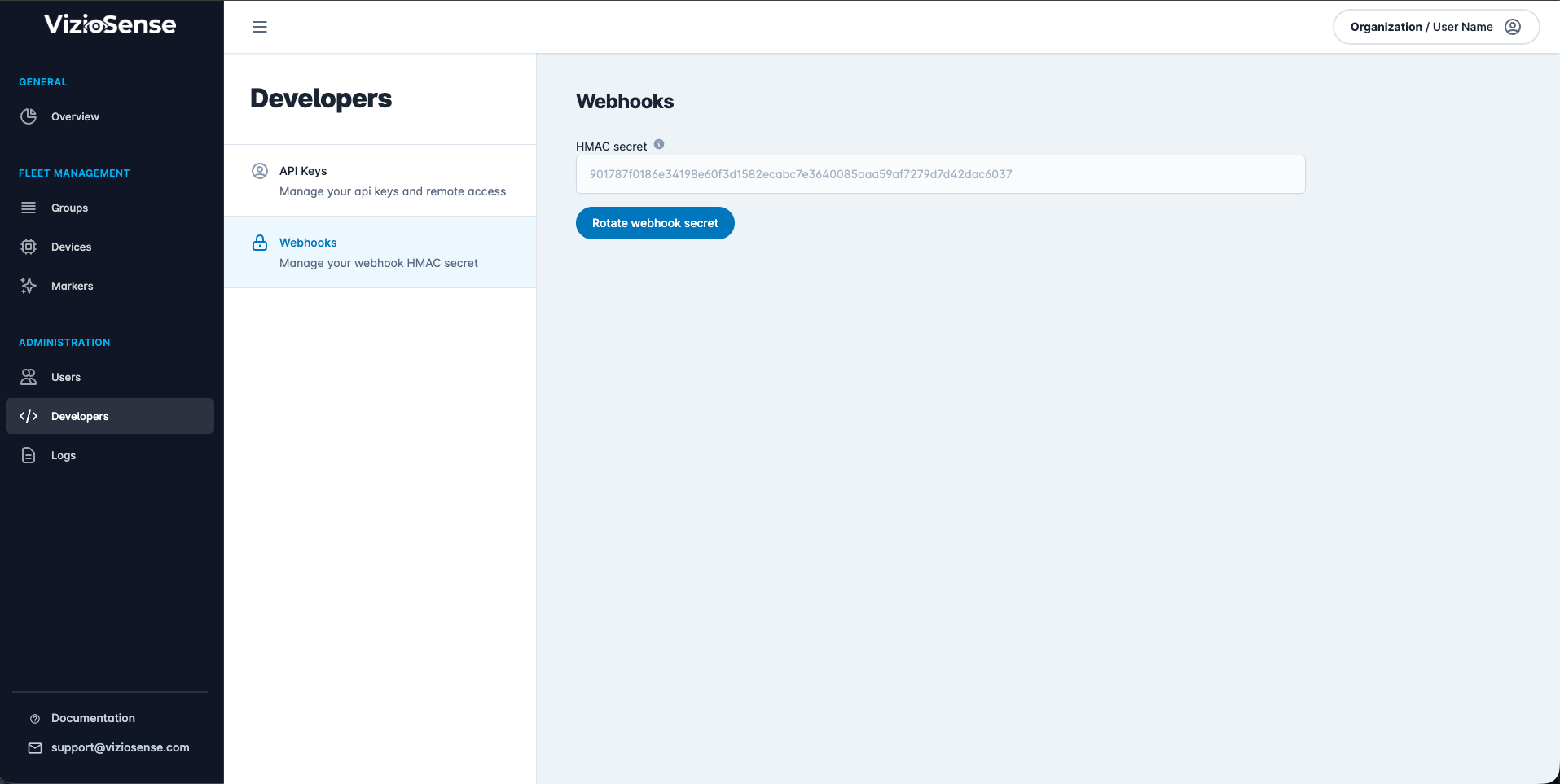
To retrieve the secret, navigate to the developer page in the webhook section. Here, you will find the secret key for verifying signatures. If necessary, you can also rotate the secret to ensure continued security.
Rotating the secret will invalidate the old key and generate a new one, which should then be updated in your application to maintain seamless webhook functionality.
Implementation Examples
- NodeJS
- PHP
- Python
Generating the Signature
const crypto = require('crypto');

const generateSignature = (secret, payload) => {
    return crypto.createHmac('sha256', secret).update(payload).digest('hex');
};
Verifying the Signature
const verifySignature = (secret, payload, receivedSignature) => {
    const expectedSignature = generateSignature(secret, payload);
    try {
        return crypto.timingSafeEqual(Buffer.from(expectedSignature), Buffer.from(receivedSignature));
    } catch (e) {
        return false;
    }
};
Handling the Webhook Request
const express = require('express');
const app = express();
app.use(express.json());

app.post('/webhook', function(req, res) {
    const secret = process.env.SECRET;
    const signature = req.headers['x-signature'];

    if (signature == null) {
        res.status(403).send({ message: 'Signature not found' });
    } else if (verifySignature(secret, JSON.stringify(req.body), signature)) {
        res.status(200).send({ message: 'Webhook signature is valid' });
    } else {
        res.status(403).send({ message: 'Webhook signature is invalid' });
    }
});

app.listen(3000, () => {
    console.log('Server is running on port 3000');
});
Generating the Signature
function generateSignature($secret, $payload) {
    return hash_hmac('sha256', $payload, $secret);
}
Verifying the Signature
function verifySignature($secret, $payload, $receivedSignature) {
    $expectedSignature = generateSignature($secret, $payload);
    return hash_equals($expectedSignature, $receivedSignature);
}
Handling the Webhook Request
<?php
$secret = getenv('SECRET');

$headers = getallheaders();
$signature = isset($headers['x-signature']) ? $headers['x-signature'] : null;
$payload = file_get_contents('php://input');

if ($signature === null) {
    http_response_code(403);
    echo json_encode(['message' => 'Signature not found']);
    exit;
}

if (verifySignature($secret, $payload, $signature)) {
    http_response_code(200);
    echo json_encode(['message' => 'Webhook signature is valid']);
} else {
    http_response_code(403);
    echo json_encode(['message' => 'Webhook signature is invalid']);
}
?>
Generating the Signature
import hmac
import hashlib

def generate_signature(secret, payload):
    return hmac.new(secret.encode(), payload.encode(), hashlib.sha256).hexdigest()
Verifying the Signature
def verify_signature(secret, payload, received_signature):
    expected_signature = generate_signature(secret, payload)
    return hmac.compare_digest(expected_signature, received_signature)
Handling the Webhook Request
from flask import Flask, request, jsonify
import os

app = Flask(__name__)

@app.route('/webhook', methods=['POST'])
def webhook():
    secret = os.getenv('SECRET')
    signature = request.headers.get('x-signature')
    payload = request.get_data(as_text=True)

    if signature is None:
        return jsonify({'message': 'Signature not found'}), 403

    if verify_signature(secret, payload, signature):
        return jsonify({'message': 'Webhook signature is valid'}), 200
    else:
        return jsonify({'message': 'Webhook signature is invalid'}), 403

if __name__ == '__main__':
    app.run(port=5000)